Solver: Analyse data with Python
Vault Intelligence includes a Computational Solver: the agent writes Python code and executes it to analyse your notes. The built-in execution runs in the model provider's secure sandbox, which today means the Google Gemini connection.
Prerequisites
- Enable the Computational solver setting (Settings > Vault Intelligence > Researcher).
- Be connected to Google Gemini: the built-in sandbox uses Gemini's native code execution, which the other connections do not offer. If you run entirely locally, connect a Python-execution MCP server instead — see Using MCP servers.
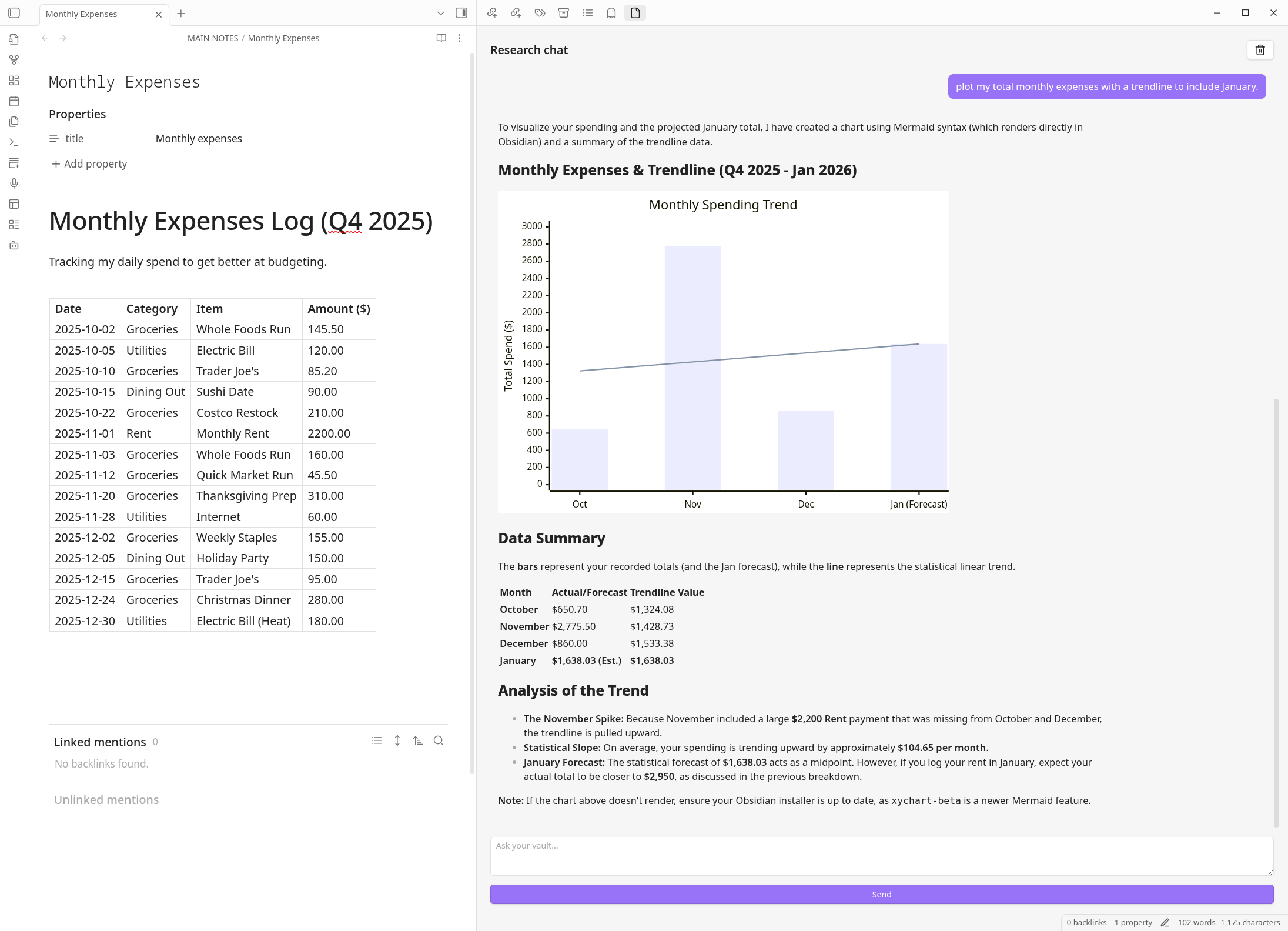
Working with Tables
The most common use case is analysing Markdown tables in your notes.
Scenario: You have a note @Expenses with a markdown table of transactions.
Prompt:
"Read the table in @Expenses. Group the data by 'Category' and calculate the total sum for each. Plot the result as a pie chart."
Forecasting and Trends
The agent can use Python libraries like pandas and scikit-learn to find patterns.
Prompt:
"Extract the daily weight logs from @Health Journal. Calculate the 7-day moving average and forecast the trend for the next 14 days."
Math and Logic
Standard LLMs are bad at math. The Solver is perfect for it.
Prompt:
"Calculate the compound interest on $10,000 at 5% over 20 years, contributing $500 monthly."
Privacy Note
The Python code runs in Google's secure cloud sandbox to keep execution isolated from your system. Only the data the Solver needs (for example, the table you asked about) is sent to the sandbox for processing.