Getting started with Vault Intelligence
Transform your Obsidian vault into an active research partner in 5 minutes.
1. Install
Please use BRAT for installation:
- Install the BRAT plugin from the Community Plugins store.
- Open Settings > BRAT > Beta Plugin List.
- Click Add Beta plugin and enter:
https://github.com/cybaea/obsidian-vault-intelligence - Click Add Plugin.
- Go to Settings > Community plugins and ensure Vault Intelligence is enabled.
2. Connect intelligence
You need an API key to power the AI reasoning. Why an API key?
- Get a free API key from Google AI Studio.
- In Obsidian, go to Settings > Vault Intelligence.
- Paste your key into the Google API key field.
3. Your first chat
Let's see the magic immediately.
Click the Vault Intelligence icon in the left ribbon to open the Researcher sidebar.
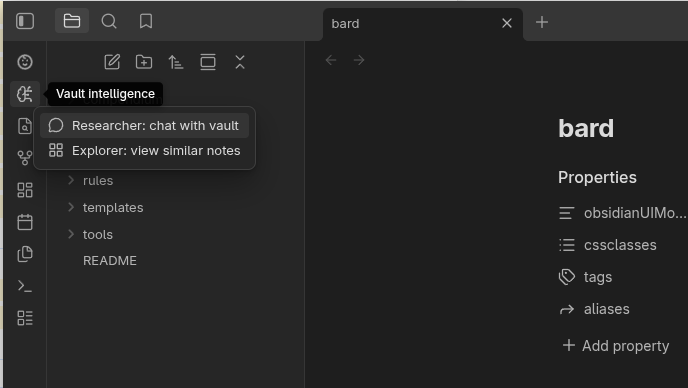
Click the Agent dropdown and select Researcher.
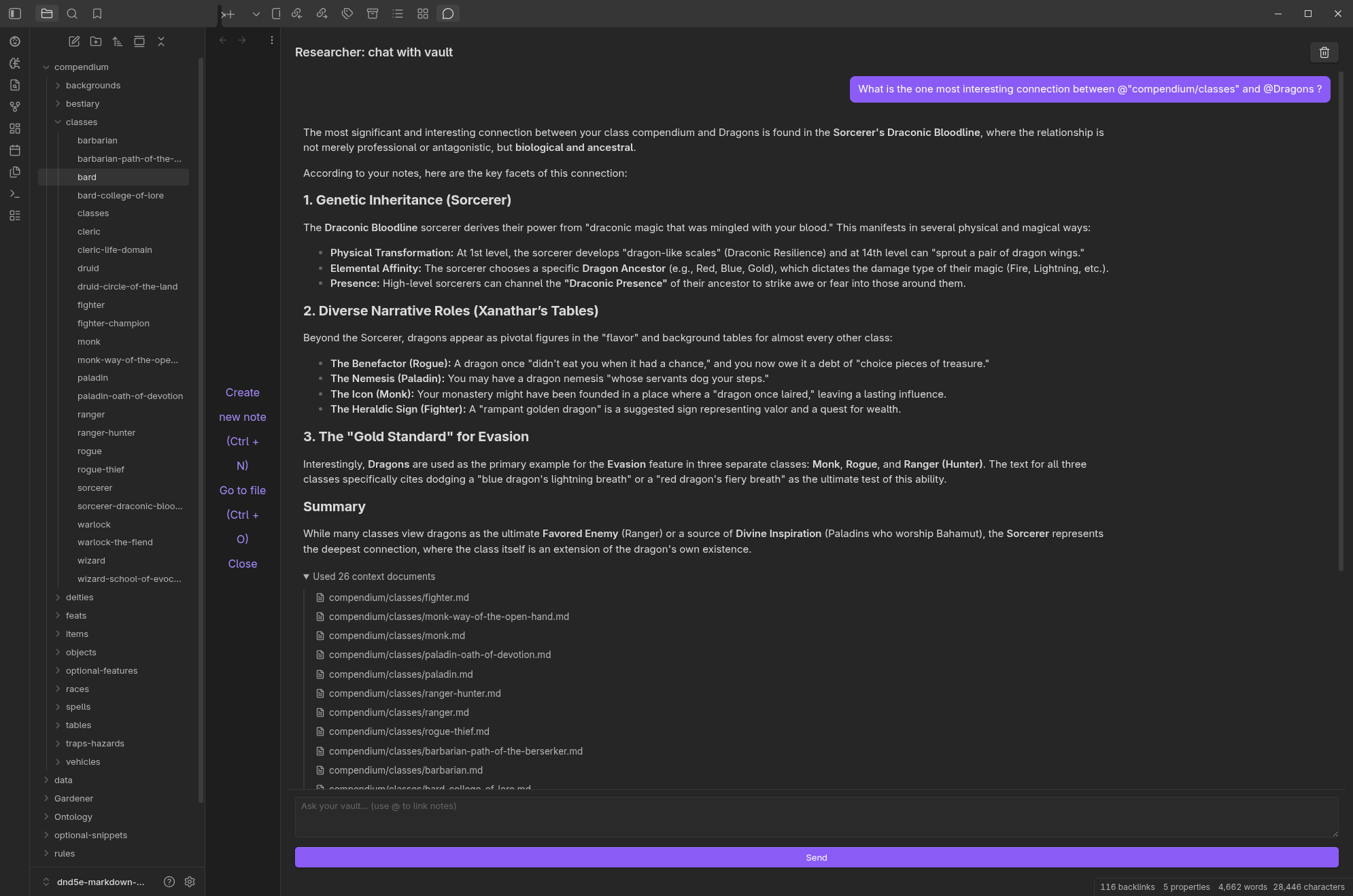
Type this exact query (or pick a topic relevant to your notes):
"What is the most interesting connection between my notes on [Topic A] and [Topic B]?"
(Replace [Topic A]/[Topic B] with real topics from your vault, eg "Gardening" and "Recipes")
What just happened?
It read your notes: The agent found relevant files without you searching for keywords.
It reasoned: It didn't just copy text; it understood the relationship between the concepts.
It answered: You got a synthesized answer, cited with links to your source files.
Next steps
Now that you are connected, try a specific workflow:
- Chat with specific documents
- Explore connections
- Analyse data with Python
- Clean up your vault structure
TIP
For users of complex scripts: If you write primarily in Chinese, Japanese, Korean, Arabic, or other logographic/right-to-left scripts, ensure your Agent language is set correctly. The plugin automatically optimises settings like chunk size to handle the higher information density of these languages, ensuring better semantic retrieval. For best results, please check the 'Embedding chunk size' setting in Advanced settings and select a size that is appropriate for your language.